How to upload API script to your Hosting
If your website is built on a C panel, you can just head over to the file manager to deploy the code.
In case you don’t have any hosting:
Thank you for your order, please consider to give your feedback if you have time.
SET UP API
You can watch my video about uploading script YOUTUBE VIDEO GUIDE
- You have received a zip file
apiextract it..zip - Inside the zip file you will have
indexto display API response and an another PHP script file that can named anything in your case..php - I strongly recommend to modify or alter the second PHP script if you don’t have any programming skill.
Let’s understand the scripts necessary parameters
$headers = ["API_KEY: *************", "Content-Type: application/json"];

$data = [
    "contract" => "0x43ce81f458c0ef40dd654d8573c899e9df789266",
    "chain" => "matic",
    "decimal" => 18,
    "maxcoins" => "100000000",
    "slug" => "BAET",
    "addrs" => [
        "0xAeD74b6070647b52299102534D41182df61F3EDC",
        "0x9370FfE58Cef7702C40f01e6525cC0C3CcF2a702",
    ],
    "strict" => true,
];In above image the API is the unique key that allow only your contract address to make request. It can’t be used by others.
The rest of parameters are simple as well. Make sure that decimal must be in string while making request. The addrs key contains an array which holds the list of address that need to remove from circulating supply. However to prevent memory limit you can set maximum 10 address.
You can reach me anytime if you need any assistance.
Here is the CURL code
curl -X POST -H "Api_key: *************" -H "Content-Type: application/json" -H "Host: chainz.cryptoids.info" -d '{"contract": "0x43ce81f458c0ef40dd654d8573c899e9df789266", "chain": "matic", "decimal": "18", "maxcoins": "100000000", "slug": "TPY", "addrs": ["0xAeD74b6070647b52299102534D41182df61F3EDC", "0x9370FfE58Cef7702C40f01e6525cC0C3CcF2a702"], "strict": true, "query": "circulating"}' https://chainz.cryptoids.info/API Explorer
Visit my API Documentation for more.
After completion of order you will receive a PHP script, which contains codes that’s return TOTAL and CIRCULATING supply of your token.
Login to your hosting file manager, you can you any hosting that support PHP. I’m using Hostinger in my case to deploy API script.
Follow instructions shown in the image. In future UI may be changed.
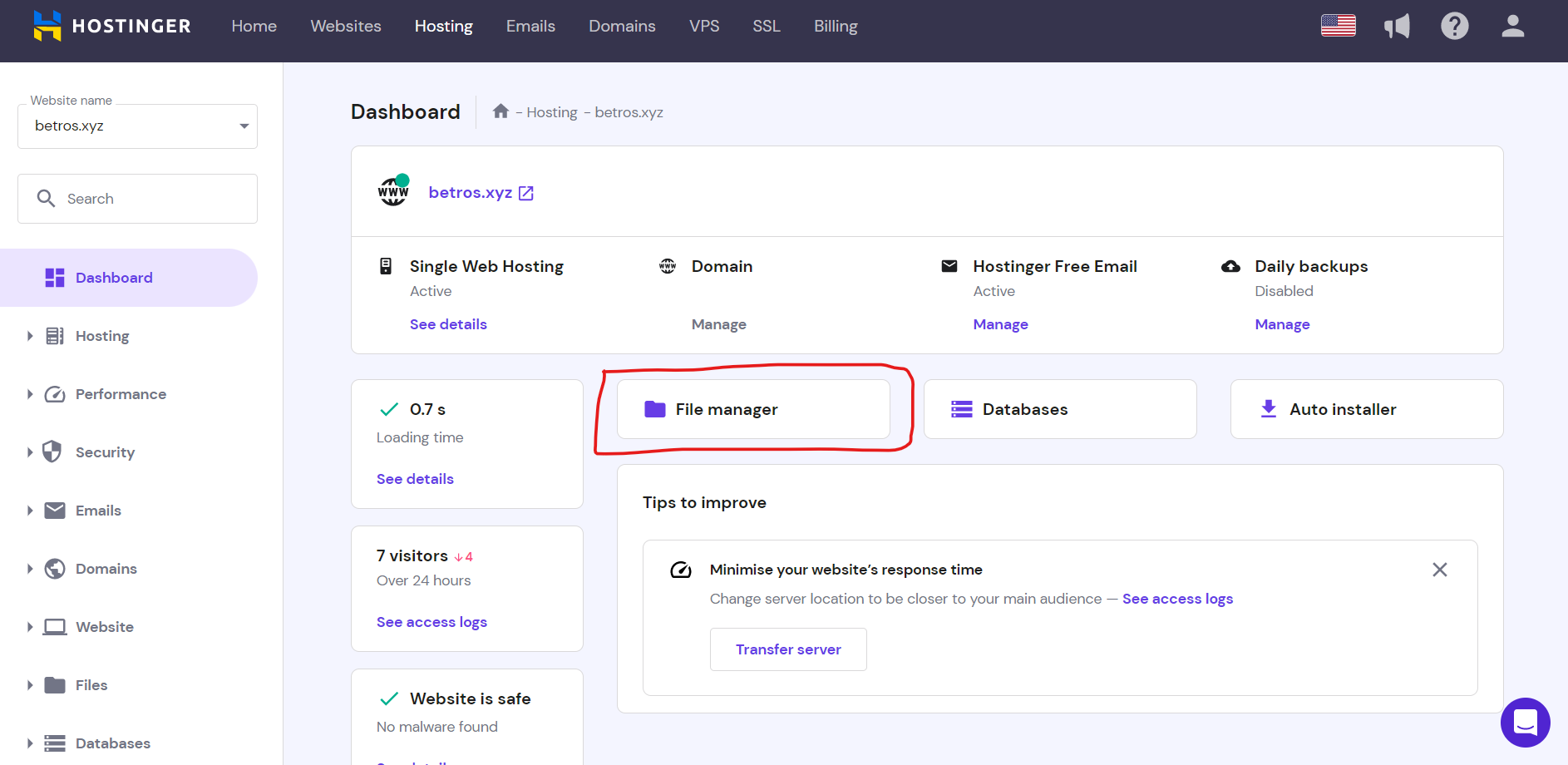
- Click on
File Managerhighlighted red color. - It will redirect you to your website
File Manager
Hostinger Public HTML
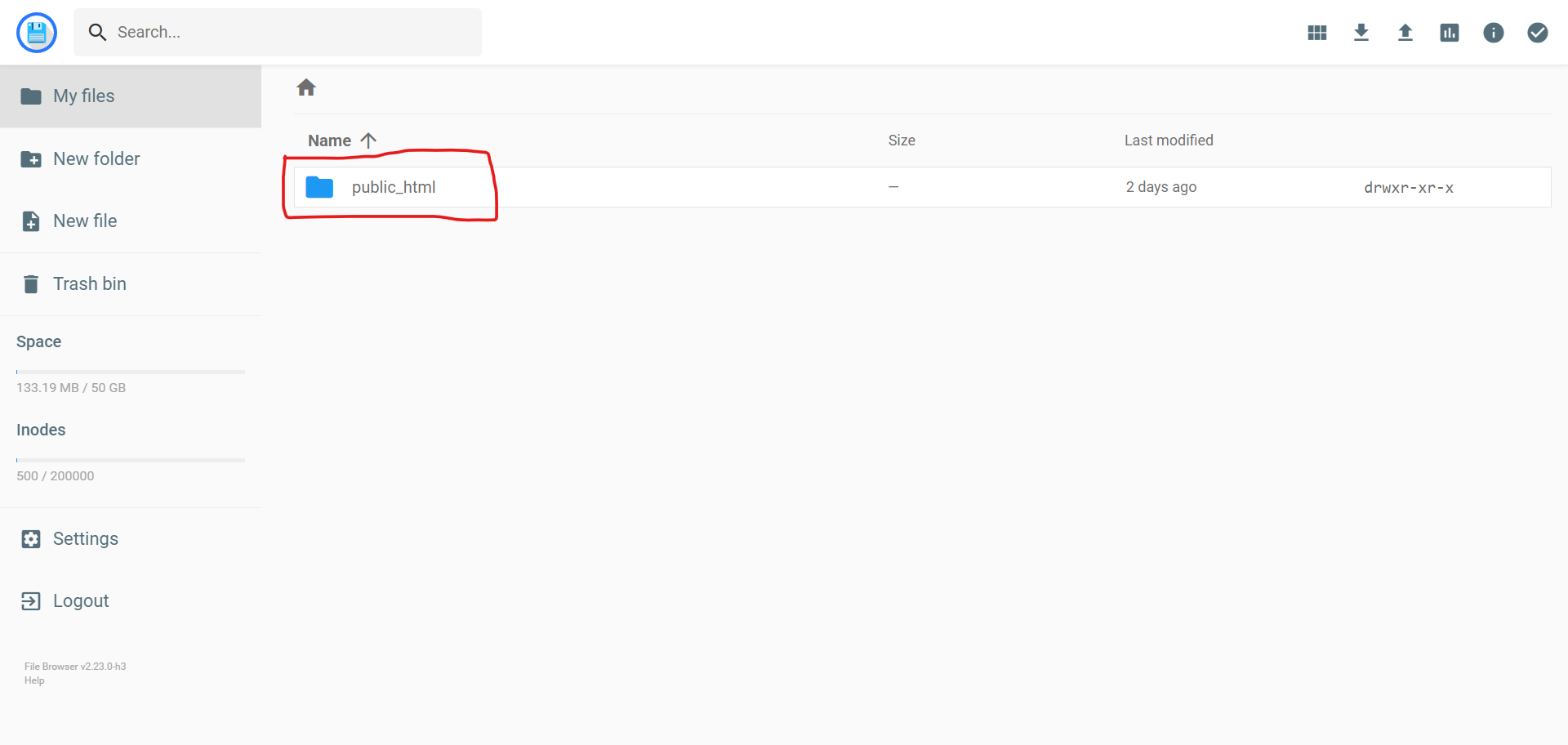
There will be a folder named pulic , open that folder.
- Now you are at root of your website.
- We need to create a folder or directory for our PHP API code.
- In my case I have created folder named
/api - Follow below instructions to create folder.
Hostinger create new Folder
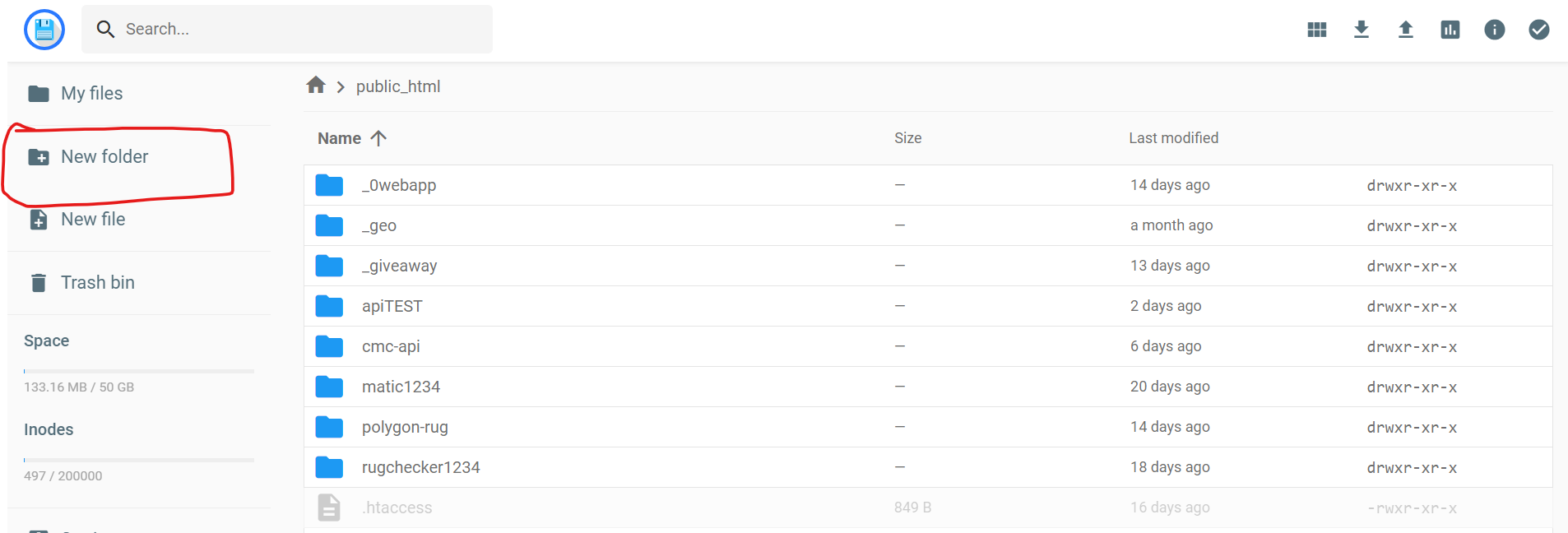
- Click on
New Folderhighlighted in red color. - A new popup will appear.
Creating Folder
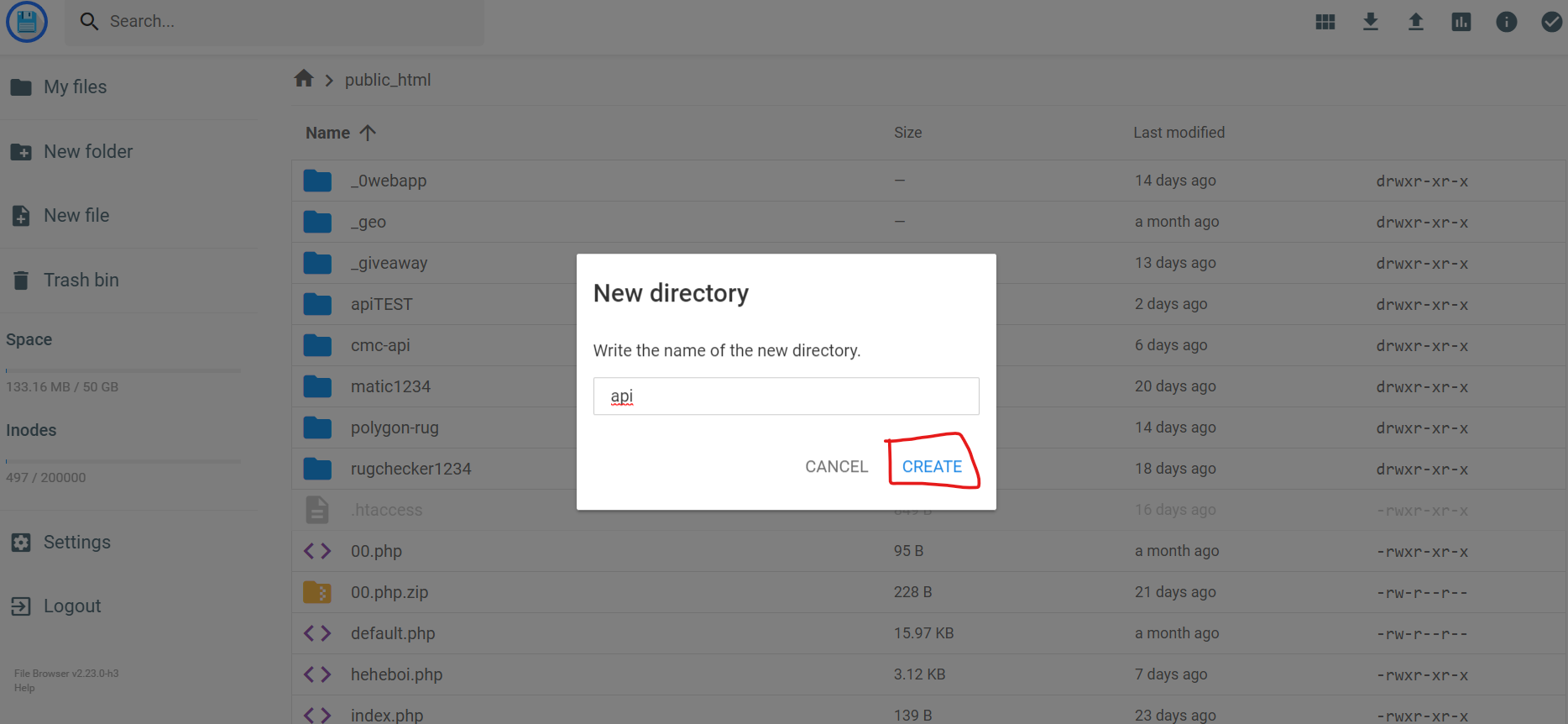
Click on CREATE highlighted in red.
- Now you will be inside
/apifolder, if not then open the folder you have created. - Then we need to upload the API script, to upload you need to click the the upside arrow on right-top on your file manager.
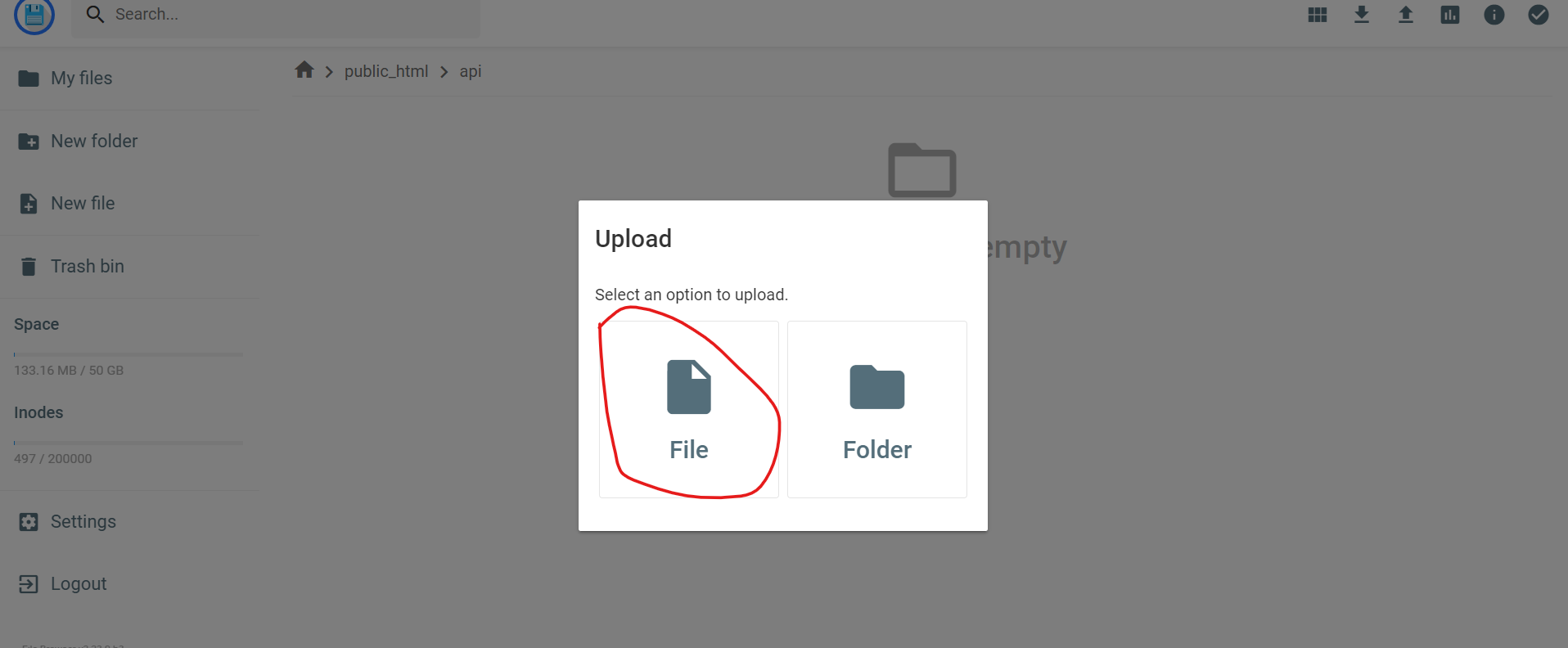
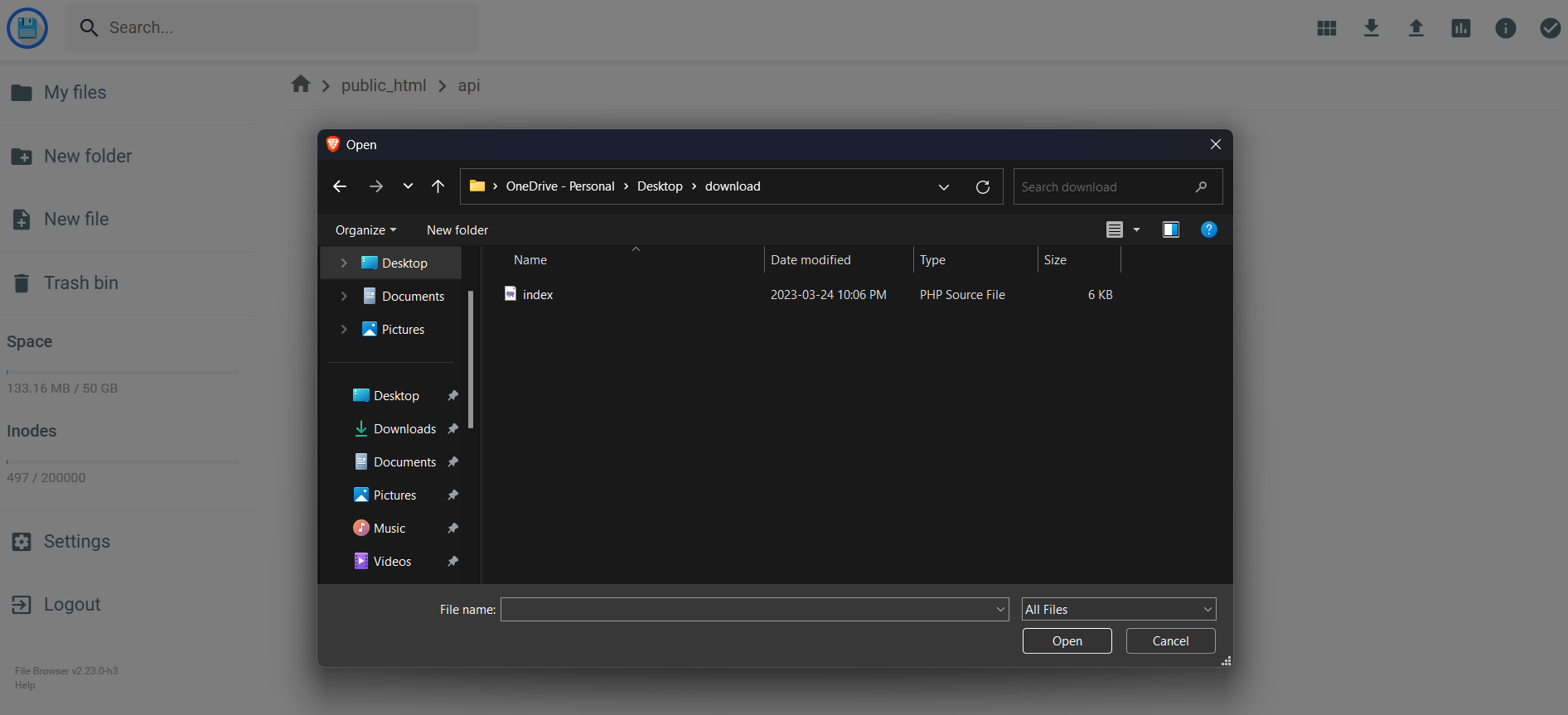
- Follow image instructions.
Uploading API script
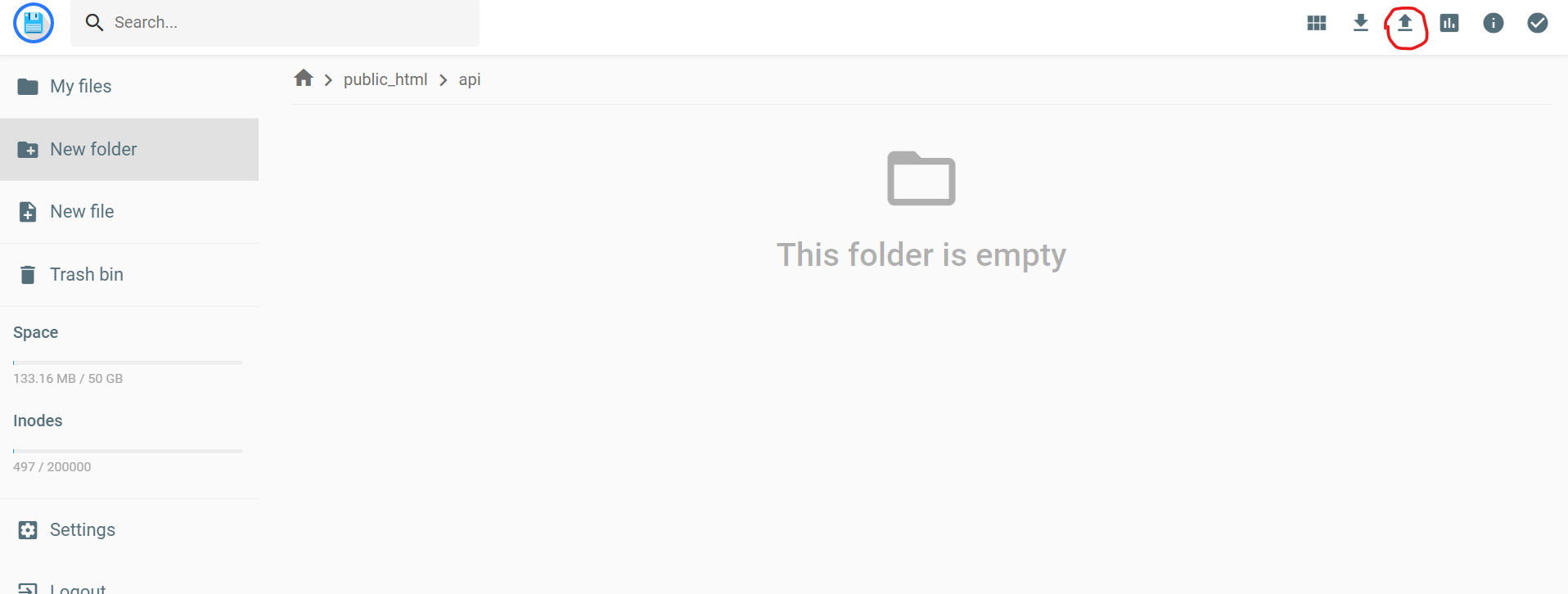
Select upload file
- Locate API script where you have downloaded and saved from Fiverr.
Select script to upload
Script has been uploaded
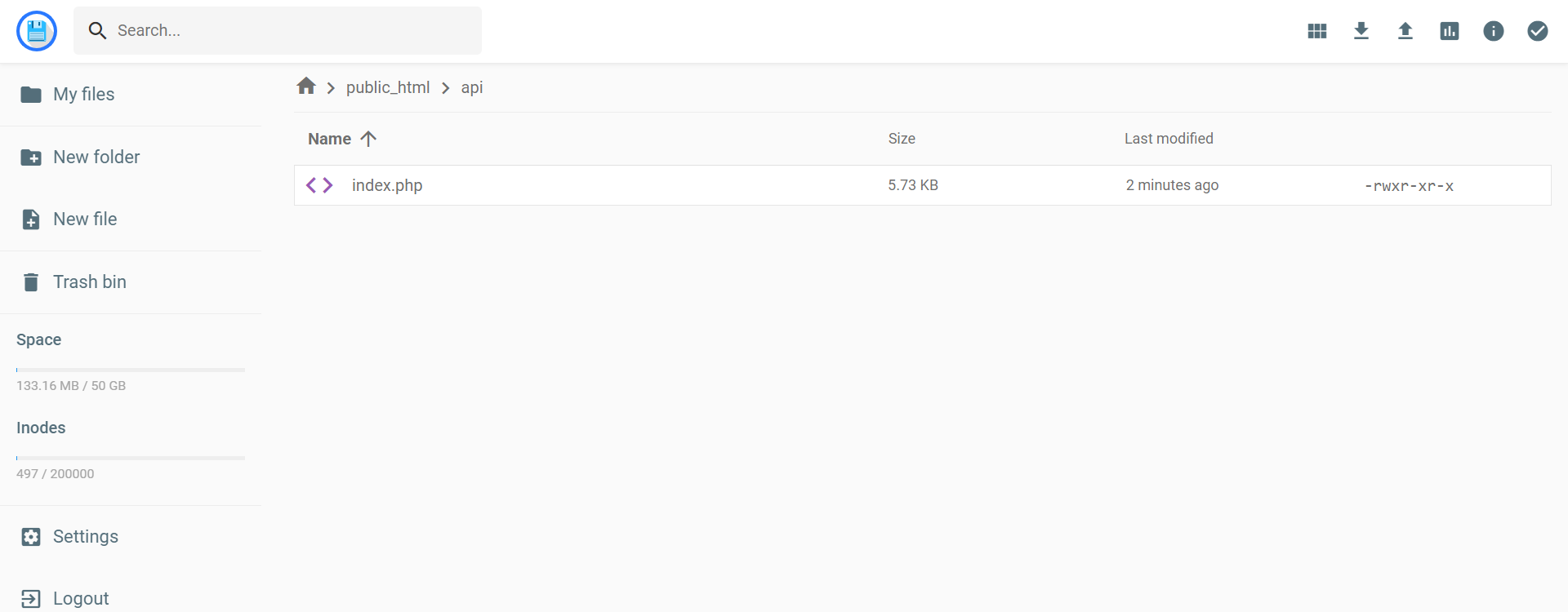
Kaboom!you have just successfully deployed your API script on your hosting.- Now we need to find out our endpoint which returns,
TOTALandCIRCULATINGsupply. - Let’s take an example. If your website domain is:
https://example.com/- And the folder you created previously was
/apithen, you can call API by:
https://example.com/api- If you see it returns a message in
JSONformate something like this:
{
  "status": 200,
  "contractAddress": "0x796a4503b444a71b331c9556bef0815237ddeabc",
  "decimal": 18,
  "symbol": "oDOGE"
}- To access
TOTALandCIRCULATINGsupply API endpoint, we will pass a query parameter namedqin this way, here is the available query
| Query | Description |
|---|---|
| maxcoins | It returns the maximum supply of token without burn |
| totalcoins | It returns total supply of your token with burn or without burn |
| circulating | It returns the circulating supply of your token |
- API endpoint for
TOTAL SUPPLY:
https://example.com/api/?q=totalcoins- API endpoint for
CIRCULATING SUPPLY:
https://example.com/api/?q=circulatingHow token supply are calculated?
According to Coinmarketcap’s documentation
Max supply: Is the number of maximum tokenTotal supply: Max supply - burn tokensCirculating supply: Total supply - (Wallet hold by team/developers)
I have tried my best to describe set-up process. If you have any query please feel free to ask:
https://fiverr.com/sanjithacks